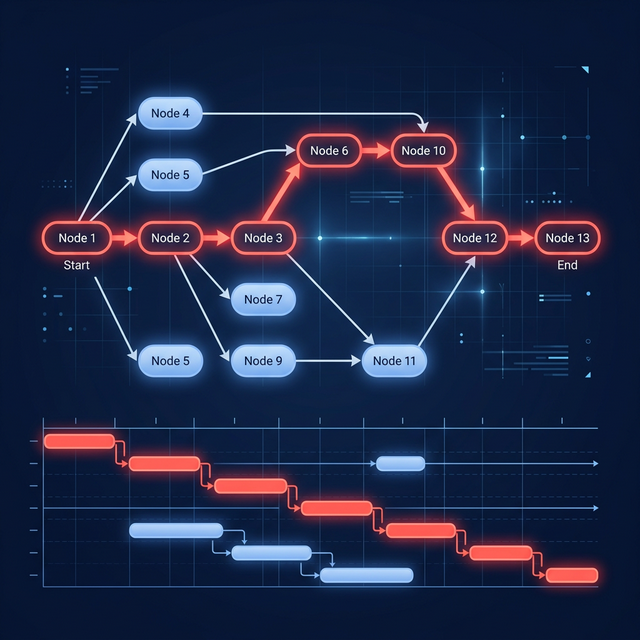
The four Gantt dependency types are finish-to-start, start-to-start, finish-to-finish, and start-to-finish. Use the weakest relationship that accurately represents the work.
What are dependencies in a Gantt chart?
A dependency is a logical relationship between two tasks. It says when one task may start or finish relative to another. The four standard relationship types are finish-to-start (FS), start-to-start (SS), finish-to-finish (FF), and start-to-finish (SF).
Dependencies make a Gantt chart behave like a schedule. When a predecessor moves, the scheduling engine can recalculate its successors instead of leaving every date to be repaired by hand.
Use the weakest relationship that accurately describes the work. Do not add a finish-to-start link merely to keep bars looking tidy; every link should represent a real technical, physical, regulatory, or information handoff.
The four dependency types at a glance
| Type | Meaning | Simple example |
|---|---|---|
| Finish-to-start (FS) | Successor cannot start until predecessor finishes | Testing starts after build finishes |
| Start-to-start (SS) | Successor cannot start until predecessor starts | Note-taking starts when the workshop starts |
| Finish-to-finish (FF) | Successor cannot finish until predecessor finishes | Final proofreading cannot finish before writing finishes |
| Start-to-finish (SF) | Successor cannot finish until predecessor starts | Old support shift cannot end until new shift starts |
“Predecessor” means the task providing the constraint. “Successor” means the task being constrained. The words do not necessarily mean that the entire predecessor must happen first—that depends on the relationship type.
1. Finish-to-start (FS)
B cannot start until A finishes. This is the most common relationship.
Examples:
- Deploy to production after acceptance testing finishes.
- Pour concrete after formwork inspection finishes.
- Send invitations after the guest list is approved.
- Start data migration after the backup completes.
If “Approve design” finishes on Tuesday and “Build interface” has an FS link, build can start on the next available working time according to the tool’s calendar rules.
FS is easy to understand, but overusing it serializes work. Ask whether the successor truly needs every part of the predecessor. If development can begin when the first approved specification is available, a different decomposition may create a more realistic overlap.
2. Start-to-start (SS)
B cannot start until A starts. The tasks may then continue for different durations.
Examples:
- Begin meeting notes when the meeting starts.
- Begin quality monitoring when production starts.
- Start excavation hauling when excavation starts.
- Start customer support coverage when a launch begins.
SS does not mean both tasks must start at exactly the same instant unless there is no lag and the schedule is constrained that way. It establishes the earliest allowed start of the successor.
3. Finish-to-finish (FF)
B cannot finish until A finishes. The relationship controls completion, not start.
Examples:
- Editing cannot finish until writing finishes.
- Security monitoring cannot finish before the migration finishes.
- Site supervision cannot finish before construction finishes.
- Invoice reconciliation cannot finish before all invoices are received.
FF is useful when two activities run in parallel but one must remain active through the end of the other. It should not be used to hide an unclear deliverable. If a final handoff exists, a separate milestone may communicate the logic better.
4. Start-to-finish (SF)
B cannot finish until A starts. This is valid but uncommon.
The classic example is shift coverage: the outgoing shift cannot finish until the incoming shift starts. Other examples include:
- a legacy system cannot be retired until the replacement service starts;
- temporary monitoring cannot stop until permanent monitoring begins;
- the old vendor’s coverage cannot end until the new vendor starts service.
Teams often use SF incorrectly because its wording feels reversed. Name the predecessor and successor aloud: “The old shift’s finish depends on the new shift’s start.” If that sentence is not true, use another relationship or redesign the tasks.
What are lag and lead?
Lag is a waiting period added to a dependency. Lead allows overlap and is often represented as negative lag.
Examples:
- FS + 2 days: Apply the second coat two days after the first coat finishes.
- SS + 1 day: Start transcription one day after interviews begin.
- FS − 2 days: Begin review two days before drafting finishes.
Lag should represent genuine elapsed or working time, such as curing, shipping, or a mandatory notice period. Avoid using unexplained lag as a bucket for hidden work. If someone must perform an action during the gap, model that action as a task with an owner.
Lead can make a schedule brittle because it assumes partial predecessor output will be ready. Splitting the predecessor into smaller deliverables—for example, “Draft sections 1–3”—often creates clearer logic than a large negative lag.
A worked dependency example
Consider a small software release:
| Task | Duration | Relationship |
|---|---|---|
| Implement feature | 8 days | — |
| Write test cases | 5 days | SS with implementation |
| Execute tests | 4 days | FS after implementation and test cases |
| Monitor release | 2 days | SS with production release |
| End rollback coverage | 0 days | SF after monitoring starts |
Writing test cases starts with implementation because the tester can work from the agreed design. Execution waits for both implementation and test cases. Monitoring begins with release. The final SF example says temporary rollback coverage cannot end until monitoring has started; in practice, a clearer milestone or FS chain may still be preferable.
How do dependencies affect the critical path?
The dependency network determines which chains can control the finish date. A forward pass finds earliest dates; a backward pass finds latest dates and float. Tasks with no scheduling flexibility form a critical path under the model’s rules.
Missing links make work float independently and can create a finish date with no logical support. Redundant or overly restrictive links can create a longer schedule than the work requires. Review both extremes with the project schedule quality checklist.
How do you choose the right relationship?
Ask two questions:
- Which event in the predecessor matters—its start or finish?
- Which event in the successor is constrained—its start or finish?
That produces the two-letter code. Then ask whether lag is a real waiting period and whether smaller tasks would explain the handoff better.
Use How to Read a Gantt Chart to review the resulting network.
How do you model dependencies in GanttFather?
Connect a predecessor to its successor, choose FS, SS, FF, or SF, and add lag when a real wait or overlap exists. Move or resize the predecessor to confirm that the successor reacts as expected, then turn on critical path to see whether that link helps control the project finish.
Dependency propagation proves logical sequence, not resource feasibility. GanttFather does not automatically resource-level assignments, so inspect any owner booked on overlapping linked tasks and resolve the conflict manually.
Create a free GanttFather project and test the dependency network with one example of each relationship your plan actually needs.
Frequently asked questions
What is the default Gantt dependency?
Most scheduling tools default to finish-to-start because it is common and intuitive. A default is not evidence; change it when the work requires a different relationship.
Can one task have multiple predecessors?
Yes. A test may require code, an environment, and approved test data. Its earliest start is governed by the predecessor constraint that finishes latest after calendars and lag are considered.
Are due dates dependencies?
No. A due date is a target or constraint. A dependency describes logical order between tasks. Use logic to calculate dates, then compare the forecast with the target.
Should summary tasks have dependencies?
Usually link detailed activities or milestones where the handoff occurs. Links on both summary and child tasks can create confusing or duplicate constraints. Use summary links only when your scheduling method and tool handle them predictably.
Sources