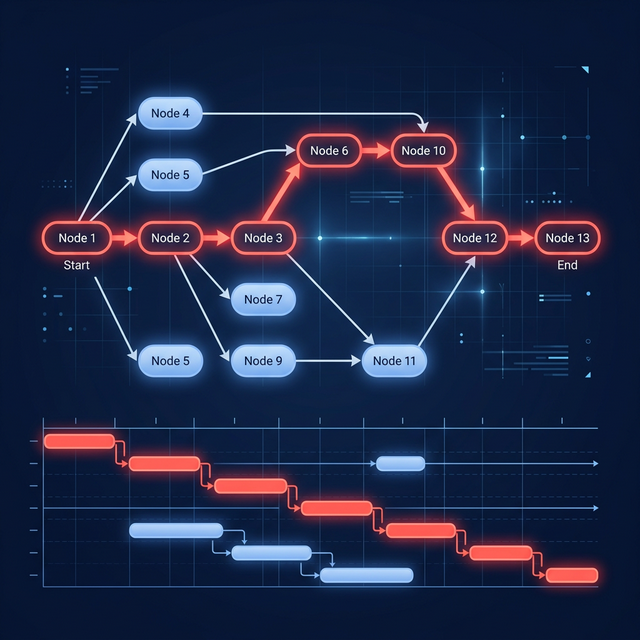
Total float is how long an activity can slip without delaying the project finish; free float is how long it can slip without delaying any immediate successor’s earliest start.
What is float in project management?
Float—also called slack—is the amount of schedule flexibility available to an activity. Total float measures how long an activity can be delayed or extended without delaying the project finish or another controlling constraint. Free float measures how long it can slip without delaying the early start of any immediate successor.
Float is calculated from the schedule’s dates and dependency network. It is not spare time owned by one person, and it is not a promise that delay has no consequences.
Total float vs free float
| Measure | Practical question | Common calculation |
|---|---|---|
| Total float | How much can this activity slip before the project finish or controlling constraint slips? | Late start − early start, or late finish − early finish |
| Free float | How much can this activity slip before an immediate successor’s earliest start slips? | Earliest successor start − activity early finish |
Depending on the scheduling convention, calendars, and relationship types, software may calculate the values with more detail than these simplified formulas. Compare results only when tools use the same data and settings.
A simple float example
Consider this network:
- A — Confirm requirements: 2 days
- B — Build interface: 4 days, after A
- C — Prepare training: 2 days, after A
- D — Launch: 2 days, after both B and C
There are two paths:
- A → B → D = 8 days
- A → C → D = 6 days
The first path controls the earliest project finish. C can finish two days later without moving D, so C has two days of free float in this simplified network. Because D leads directly to the finish, those same two days are also C’s total float.
If C slips one day, its remaining free float becomes one day. The project is not late, but one day of schedule flexibility has been consumed.
How is float calculated?
Critical path calculations normally use two passes through the activity network:
- A forward pass calculates each activity’s earliest start and finish.
- A backward pass calculates its latest start and finish without moving the required project completion.
For an activity with early start on day 5 and late start on day 8:
Total float = 8 − 5 = 3 days
The calculation only means something if durations, calendars, relationships, constraints, and status are credible. A task with no successors may appear to have large or undefined float simply because the schedule logic is incomplete.
What is negative float?
Negative float means the current schedule cannot meet a required date or constraint under its existing logic. If the network forecasts October 10 but an enforced finish date is October 7, the schedule may show three days of negative total float.
Negative float is a warning, not a resource to “use.” The response is to examine:
- whether the required date is genuinely fixed;
- whether durations and calendars are accurate;
- whether logic is unnecessarily restrictive;
- whether work can be decomposed or overlapped safely;
- whether scope, resources, or the commitment must change.
Do not hide negative float by moving the target date without an authorized decision.
Does zero float always mean critical?
Often, but not universally. Many tools define critical tasks using a threshold—for example, total float less than or equal to zero or another configured number. Constraints, multiple calendars, and different critical-path settings can affect the result.
The operational idea is more important than the color: a critical or near-critical activity has little enough flexibility that delay can threaten a controlling finish. Read What Is the Critical Path Method? for the full network concept.
Who owns float?
The project owns float. An activity owner should not treat five days of total float as permission to start five days late without discussion. Consuming it can:
- make the path critical;
- remove contingency needed for later uncertainty;
- delay an intermediate stakeholder need;
- collide with resource availability;
- increase risk at a convergence point.
Use float as decision information. A project manager might deliberately use some flexibility to resolve a resource conflict, but the choice should account for the whole schedule.
What can make float misleading?
Missing dependencies
Open-ended tasks can display generous flexibility because nothing connects them to the finish. Add a valid successor or explicitly document why the task is independent.
Hard date constraints
Constraints can manufacture or consume float without representing real workflow. Prefer dependency-driven dates and use constraints only for genuine external conditions.
Stale progress
If an activity finished late but the schedule still shows its old forecast, downstream float is fictional. Update actuals and remaining duration before reviewing flexibility.
Resource conflicts
The network may say two activities can run together even though both need the same specialist. Resource leveling can change dates and the critical path. See Resource Leveling vs Resource Smoothing.
Calendar differences
Two days of float on a five-day workweek can span a weekend. A global team may use different resource and local calendars. Always state whether the displayed value is working or elapsed time.
How should you use float in a schedule review?
- Confirm the status date and update actual progress.
- Inspect the critical path, then paths with low positive float.
- Look for sudden large float values that suggest missing logic.
- Identify activities that consumed significant float since the last update.
- Review convergence points where several paths feed one milestone.
- Decide whether mitigation, resequencing, or escalation is justified.
How can GanttFather help you review schedule float?
GanttFather can model the network behind float with FS, SS, FF, and SF dependencies plus lag, highlight the application’s critical path, and let the team review the same schedule through real-time sharing. Excel import and export also make it practical to reconcile dates with an existing control workbook instead of rebuilding the plan row by row.
The honest limit is calculation depth: GanttFather does not currently expose a task-by-task total/free-float table, so use its critical-path view to find the controlling chain and validate exact float in a specialist scheduling tool when a contract or control process requires it. The free tier is suitable for that first review because it includes one owned project, two editor seats, and unlimited viewers and guests.
Create a free GanttFather project and test one low-float path before moving real commitments.
Frequently asked questions
Are float and slack the same thing?
They are commonly used as synonyms. “Float” is frequent in project scheduling, while some software and teams use “slack.” Always distinguish total from free float.
Can a critical path have positive float?
It can under tool-specific thresholds or when a required finish is later than the earliest calculated finish. Ask which constraint controls the calculation and how the tool defines critical.
Is float the same as contingency?
No. Float emerges from the network’s scheduling flexibility. Contingency is an explicit allowance or response for uncertainty. Consuming float may consume practical protection, but the concepts are different.
What is independent float?
Independent float is the time an activity can slip without affecting predecessors or successors under more restrictive assumptions. It is less commonly used in day-to-day project controls than total and free float.
Sources