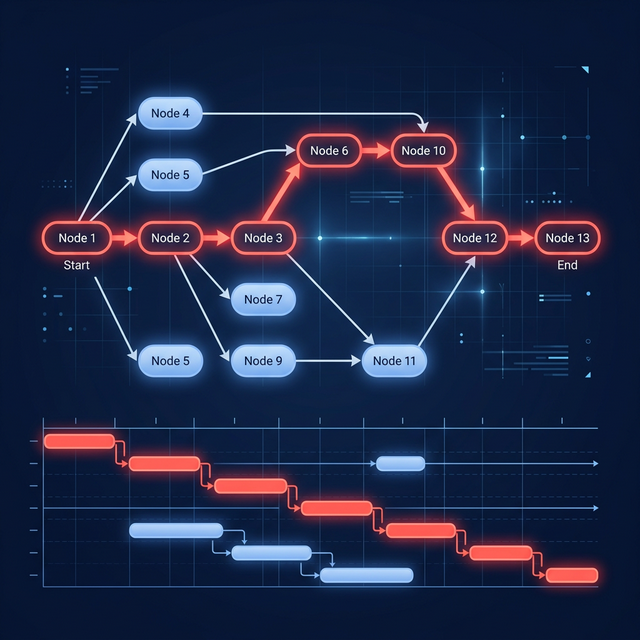
Use dependency mapping, impact analysis, and change control to show how a scope request affects dates, cost, and capacity before approving it.
Dependency management does not prevent every scope change. It makes each change’s downstream schedule impact visible before approval, so a stakeholder can choose between more time, more capacity, reduced scope, or a different sequence instead of accepting a “small request” invisibly.
Reviewed August 7, 2026. The examples below are planning illustrations, not universal productivity benchmarks.
What is the relationship between dependencies and scope creep?
Scope creep is uncontrolled expansion of agreed work. A dependency is a scheduling relationship between activities. The two meet when new or changed work affects tasks beyond the request itself.
A new approval screen may require design, data changes, implementation, testing, documentation, and release work. If those relationships are missing from the plan, the request appears to cost one task. If they are mapped, reviewers can see the full chain and its effect on milestones.
Dependencies create transparency; governance creates control. You need both.
How should you assess a scope change before approving it?
Use a short, repeatable impact review:
- Write the requested outcome and acceptance criteria.
- Identify new, changed, and removed deliverables.
- Add the activities needed to produce and verify them.
- Connect each activity to its true predecessors and successors.
- recalculate dates, float, and the critical path.
- check people, equipment, and approval capacity.
- present explicit options to the decision maker.
- record the approved decision and update the working schedule.
The review should answer four questions: What changes? What moves? What does it cost? Who accepts the trade-off?
What does a dependency impact analysis look like?
Suppose a team requests an additional export format late in a release. The visible coding task is two days, but the illustrative schedule might be:
| Added activity | Duration | Depends on |
|---|---|---|
| Confirm format rules | 1 day | Stakeholder decision |
| Implement export | 2 days | Rules confirmed |
| Add automated tests | 1 day | Implementation |
| Security and privacy review | 1 day | Testable build |
| Update documentation | 1 day | Final behavior |
This is a six-day chain in the example, not a claim that every export takes six days. If the chain has float, it may fit without moving the finish. If it joins the critical path, the release date moves unless the team changes another assumption.
Which dependency mistakes hide scope creep?
Watch for these patterns:
- tasks with dates but no predecessor or successor logic
- milestones that are merely labels rather than exit criteria
- approvals represented outside the schedule
- work packages that combine analysis, build, test, and release
- dependencies linked to summary tasks instead of executable tasks
- external work with no named owner or required-by date
- progress updated while remaining duration stays unchanged
An attractive chart can still be a weak model. The goal is not to draw more arrows; it is to represent the minimum logic needed to explain impact.
How do you keep change control lightweight?
Use thresholds. A team-level change that fits inside existing scope and float may need only a note. A change that affects a committed milestone, budget, regulated control, or another team should go through a named approver.
Maintain a small change log with the request, rationale, options, approver, date, and resulting schedule change. Do not hide contingency as an arbitrary percentage. Identify which risks it covers, and revisit it as uncertainty falls.
What should you show stakeholders?
Show choices rather than a single alarm:
| Option | Scope | Date | Capacity | Main trade-off |
|---|---|---|---|---|
| Accept as requested | Increases | May move | Same | Later finish or less float |
| Swap scope | Stable | Protected | Same | Another item leaves the release |
| Add qualified capacity | Increases | May hold | Increases | Cost and onboarding risk |
| Defer request | Current release stable | Protected | Same | Value arrives later |
The schedule should support the decision, not make it automatically. A critical path result cannot decide business value or risk appetite.
How can GanttFather show the impact of a scope change?
GanttFather lets you add the proposed work, connect its dependencies, and see whether the critical path or finish date changes. You can keep the request as a clearly labeled scenario until the decision is made, then share the resulting timeline with viewers and guests.
GanttFather does not approve changes, estimate work, or automatically level overloaded resources. It also has no dedicated baseline-overlay feature, so preserve the accepted date and decision in your governance record when formal baseline control is required.
Model one proposed change in GanttFather and use the result to present explicit options—not a hidden schedule surprise.
Frequently asked questions
Can dependencies stop scope creep?
No. They expose downstream impact. A clear scope statement, decision rights, and change control are what stop an unapproved request from entering the plan.
Should every task have a dependency?
No. Add only real scheduling constraints. False dependencies make the plan rigid and can create a misleading critical path.
Is all scope change bad?
No. A change can add more value than it costs. The problem is accepting it without understanding and authorizing the trade-off.
What is the difference between scope creep and progressive elaboration?
Progressive elaboration adds detail while staying within the agreed outcome and boundaries. Scope creep expands those boundaries without controlled approval.
Who should approve a date-changing request?
Use the authority defined in the project’s governance model—often a sponsor, product owner, client, or change-control group. The task owner should provide estimates but should not silently accept a portfolio-level trade-off.
How often should the dependency network be reviewed?
Review it at the planning cadence and whenever scope, sequencing, estimates, external dates, or resource availability changes materially.