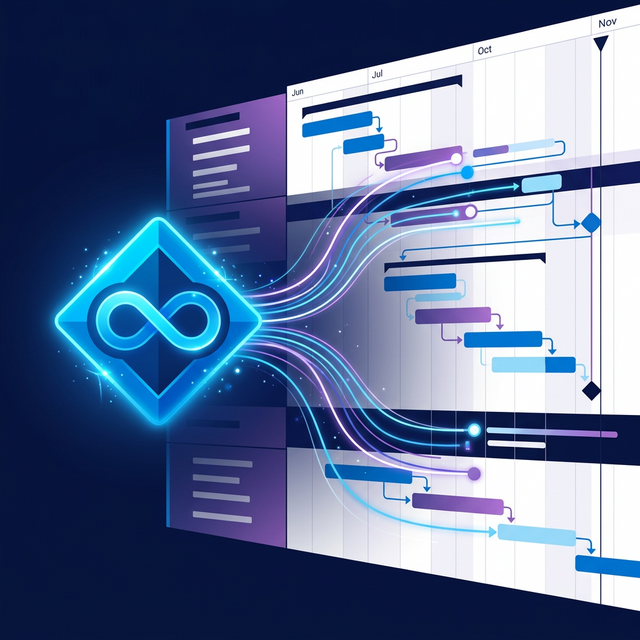
Connect Azure DevOps to GanttFather, use reviewed Pull and Push, and model local schedule dependencies without implying automatic sync.
GanttFather can pull selected Azure DevOps work items into an interactive Gantt chart and publish selected mapped dates and statuses through reviewed Push. It is not an automatic two-way sync: setup performs an initial pull, later Pull and Push actions are user-triggered, and no webhook or schedule runs in the background.
Product behavior verified August 30, 2026 against the current GanttFather integration contract and Microsoft’s Azure DevOps documentation.
What does the Azure DevOps integration do?
A GanttFather project can have one Azure DevOps integration with multiple sources. Each source can represent a saved query or a supported backlog board. A pull reads work items and creates or updates mapped GanttFather tasks; repeated pulls update the same mapped task rather than deliberately creating a duplicate.
The integration maps planning fields such as title, description, state, priority, dates, estimation, and Parent/Child hierarchy where available. Reviewed Pull and the separately named Sync source operation determine how a newer Azure revision is applied; estimates remain inbound-only.
| Capability | Current behavior |
|---|---|
| Initial import | Setup starts one pull after configuration is saved |
| Later refresh | Owner or Admin triggers a pull |
| Automatic cadence or webhook | Not available |
| Multiple sources | Saved-query and board sources can share one integration |
| Parent/Child hierarchy | Imported when present |
| Predecessor/Successor links | Not imported into GanttFather dependencies |
| Reviewed Push | Separate preview, review, selection, and confirmation flow |
| MCP control of integration | Not available |
How do you connect Azure DevOps to GanttFather?
An Owner or Admin opens the project settings and starts the Azure DevOps setup flow.
- Connection: enter the organization URL and Personal Access Token, then pass Test Connection.
- Project: choose the Azure DevOps project the token can reach.
- Source: choose a saved query or a team board, including single-level or full-tree scope for boards.
- Types: review which planning work-item types the source should import.
- Dates & effort: map Start, End, and optional effort fields per included type.
- Statuses: map discovered Azure states to exact GanttFather project statuses and review the state Push will use.
- Destination: choose the target parent, review the summary, and save. Saving starts the initial pull.
Add Source reuses the saved connection and project, starts at Source, and follows the last five steps. Configure fields uses the same five-step model but opens at Dates & effort (step 3 of 5); Back reaches Types and Source when those earlier choices need review.
For discovery and Pull, the PAT needs project/team read and work-item read access. Push needs work-item read and write access. GanttFather encrypts the PAT at rest and does not return it in integration responses.
What happens during a pull?
Pull from Azure opens a reviewed comparison for existing mapped items before changing the timeline. Azure-only changes are selected, while a value changed on both sides keeps the local date or status under the default Keep my changes choice. Opening Pull normally keeps the summary compact with Advanced collapsed; Keep my changes and Restore from Azure appear under Advanced. Choosing Review Pull from a Push conflict notice opens Advanced immediately.
Pull remains inspectable at zero changes. If an expected update is missing, Check mapped fields opens Settings → Integrations and highlights the relevant Configure fields action. Sync source remains the separate full reconciliation for source membership, new work, hierarchy, and items that left the source.
The Azure shortcut in the project header and Data & sync expose the two everyday actions: Pull from Azure and Push to Azure. Initial import happens during setup (and later sources start with Add Source), while full Sync source remains a Settings maintenance action.
From the shortcut, Settings, or Data & sync, opening Pull or Push after the previous comparison finishes requests a fresh server-authored comparison, so the review includes the latest Azure changes. Only another opening for the same source while that check is still in progress shares the in-flight request.
A pull does not delete an imported task merely because the source or integration is removed. Closed or removed external items follow the integration’s documented mapping behavior. Check the source result rather than assuming that clicking Pull means every record changed.
How should you model dependencies after import?
Azure DevOps Delivery Plans can visualize links between work items, but GanttFather’s importer does not translate Azure Predecessor/Successor link types into local task dependencies. Add and maintain FS, SS, FF, or SF relationships in GanttFather when you need critical-path analysis.
That separation prevents the article from promising invisible link mirroring. Azure DevOps supplies the mapped work-item fields and GanttFather holds the local schedule and dependency model; neither side wins a mapped-field conflict automatically. Reviewed Pull keeps a conflicting local date or status by default, Restore from Azure explicitly makes Azure win, and confirmed Send in reviewed Push explicitly makes GanttFather win for the selected mapped dates and statuses. The separate full Sync source flow remains Azure-to-GanttFather reconciliation.
For a complete dependency workflow, read How to model Azure DevOps dependencies on a Gantt chart.
How does reviewed Push work?
Push is an explicit reviewed action, not the reverse half of every pull. Eligible local date and status changes—including conflicts—are selected by default. When a selected item also changed in Azure, a blue information badge explains that Send will keep the selected GanttFather values and overwrite those newer mapped Azure values. The user can exclude a conflict in Advanced or Details; pulling first is optional.
Choosing Review Pull from that badge changes direction in the same dialog and opens Advanced so Keep my changes and Restore from Azure are immediately visible. Keep my changes · Close starts no operation and closes the complete sync flow instead of returning to a source chooser. Successful Pull and Push actions also close their owning dialog after the result is confirmed. Estimates remain Azure-owned and are never pushed.
If a selected start or finish would form an invalid range with the current companion date in Azure, Push shows These dates cannot be sent together, disables Send before publishing, and sends no Azure write. Review Pull opens Pull with Advanced expanded so the user can restore a coherent date range; closing the dialog and adjusting the local dates is the other safe option.
Before Send turns on, GanttFather asks Azure to validate each selected change without saving it and shows how many items it has checked. Items already checked are remembered, so changing what is sent or refreshing the comparison only checks what changed. A comparison is good for ten minutes. When it is out of date, the dialog refreshes it once on its own; if that is not enough, it says whether the comparison expired or items changed in Azure and offers Refresh comparison.
Use a PAT with work-item write permission for that operation. Refresh the preview when Azure DevOps has changed since it was generated. Never treat onboarding consent or a read-scoped token as permission to publish.
When should you use Delivery Plans instead?
Use Azure DevOps Delivery Plans when the team needs a native cross-team calendar view, roll-up progress, and dependency visualization inside Azure DevOps. Microsoft documents that Azure DevOps does not provide a native Gantt chart. Use GanttFather when you need a separate interactive Gantt schedule, four dependency types, float, and critical-path analysis.
The tools can coexist, but their links and calculated schedules are not automatically identical.
When is GanttFather useful alongside Azure DevOps?
GanttFather is useful when Azure Boards remains the work-item system of record but delivery leaders need a focused schedule model. Pull the fields you want to visualize, add local dependency logic, and share the resulting timeline with stakeholders who do not need to edit Azure Boards.
The integration is controlled and reviewable: it does not offer continuous two-way sync, does not import Azure Predecessor/Successor links, and cannot be triggered through GanttFather’s MCP server.
Open GanttFather and test the integration with one non-production source before expanding the mapping.
Frequently asked questions
Is the Azure DevOps connection a live two-way sync?
No. Reviewed Pull and Push are separate user actions. There is no webhook or recurring scheduler in the current integration.
Does GanttFather import Azure DevOps dependencies?
It imports Parent/Child hierarchy where present, but it does not import Azure Predecessor/Successor links as GanttFather task dependencies.
Who can configure or run the integration?
A project Owner or Admin. Members, guests, agents, and strangers cannot access the integration endpoints.
Can an AI agent trigger an Azure DevOps pull through MCP?
No. The current MCP tool surface does not expose integration setup, trigger, or status tools.
Does deleting the integration delete imported tasks?
No. It removes integration records and mappings; imported tasks remain in the GanttFather project.
Which Azure DevOps view should I use for native planning?
Delivery Plans provides Microsoft’s native calendar-oriented view across teams and can show dependencies. It is not a full Gantt chart with the same schedule-analysis model as GanttFather.